
Bottles
Create a dedicated Windows environment.
A Bottle gives an app or game its own Windows files and settings.
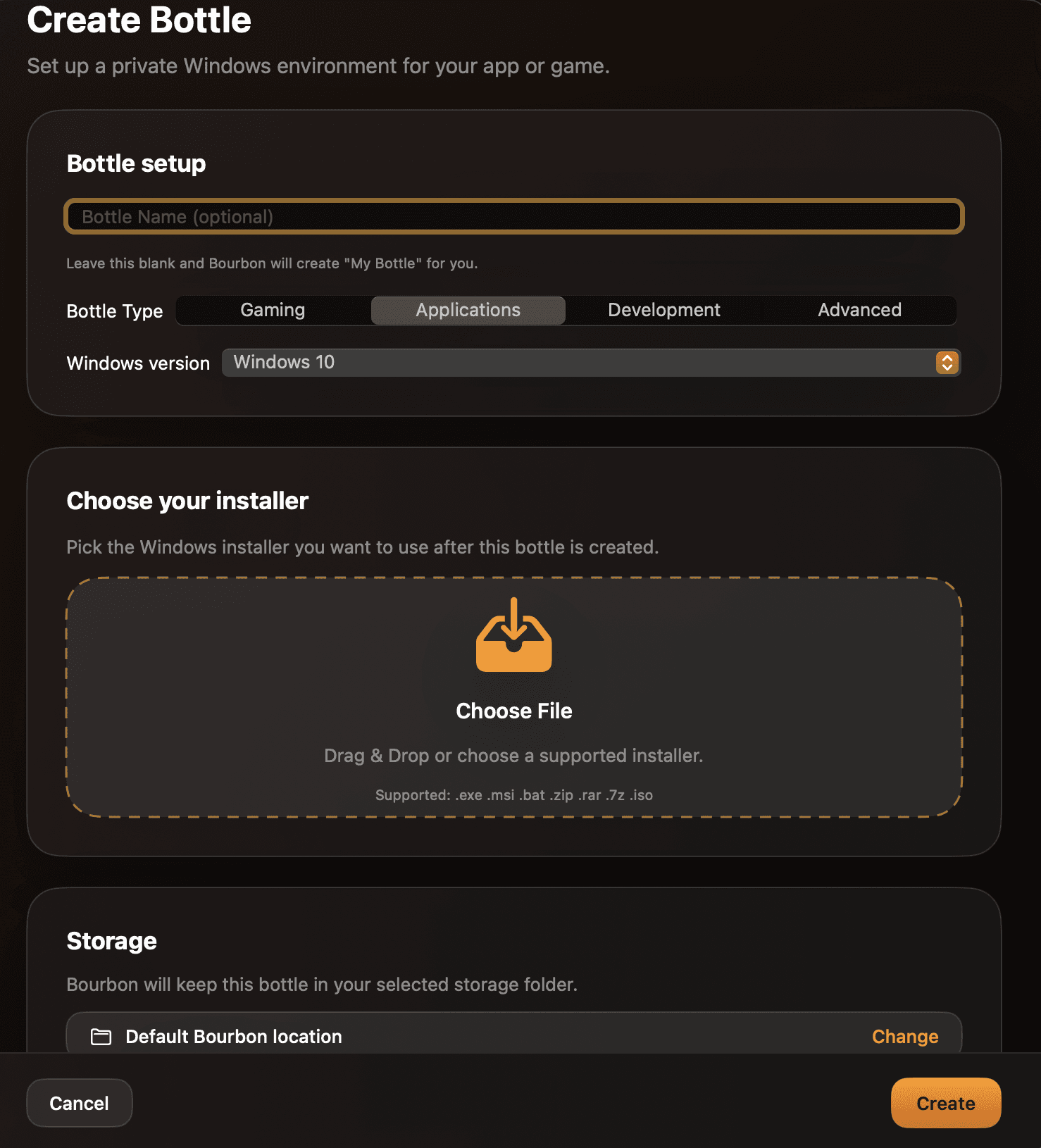
Choose the Bottle details
- Bottle name: use the app or game name. If left blank, Bourbon names it “My Bottle.”
- Bottle type: choose Gaming, Applications, Development, or Advanced as a starting profile.
- Windows version: choose the Windows version the app should see. Windows 7 and Windows XP are marked deprecated.
- Installer: optionally choose the Windows installer you plan to use. Bourbon can use it after the Bottle is created.
- Storage: keep Bourbon’s default location or select a custom folder.
Create or Cancel
Select Create to make the Bottle. Bourbon selects the new Bottle and takes you to the install flow; if you picked an installer, it is ready for that next step. Select Cancel to close the form without creating a Bottle.